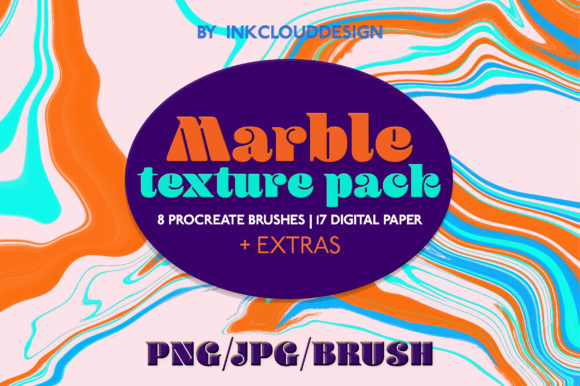
Elevate Your Projects with Marble Textures Background | Procreate
In the world of digital design, the right texture can transform a flat, lifeless canvas into something with depth, character, and a sense of luxury. That's precisely what the Marble Textures Background | Procreate bundle offers. This isn't just another set of static images; it's a versatile toolkit designed for creatives who want to infuse their work with the timeless elegance of natural stone. Think of it as a complete design system for achieving that sophisticated marble look, whether you're crafting a brand identity, designing a website, or creating printable products.
What Exactly is the Marble Textures Background | Procreate Bundle?
At its core, this bundle is a curated collection of digital assets built for the Procreate app on iPad, though its components are versatile enough for use in any major design software. The package is thoughtfully assembled to give you both the tools to create and the materials to use directly.
You receive 8 specialized Procreate brushes. These aren't generic tools; each is engineered to mimic different marble effects. You have options like "Marble i," "ii," and "iii" for classic veining, "Soft Marble" brushes for more subtle, diffused textures, and "Marble Noise" brushes for adding granular, stone-like detail. The inclusion of a bonus brush rounds out a set that allows for immense creative control, letting you paint custom marble patterns directly onto your canvas.
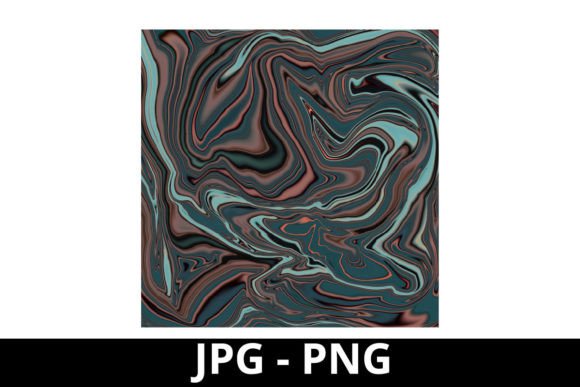
Complementing the brushes are 17 high-resolution digital papers and textures. This includes six main marble digital papers at a generous 2500x2500 pixels and 600 DPI, ensuring they look crisp even in large-format prints. You also get nine marble digital textures with transparent backgrounds, perfect for layering over other elements, and two extra digital papers for additional variety. The mix of formats (PNG and JPG) covers every need, from web use to professional printing.
Practical Applications: Where Marble Textures Shine
The true value of any design asset lies in its application. Marble textures have a universal appeal that crosses industries and project types, making this bundle exceptionally useful.
- Brand Identity & Marketing: Marble conveys luxury, stability, and timelessness. Use these textures as backgrounds for logo presentations, business cards, or letterheads. They're perfect for creating social media graphics for high-end brands, consultants, or lifestyle products. A marble texture can elevate a simple Instagram post into a professional-looking ad for a jewelry line, a spa, or a real estate agency.
- Digital Design & UI: In web and app design, marble textures can be used as hero section backgrounds, for overlaying content in sidebars, or as subtle accents in user interface elements. They add visual interest without overwhelming text, provided you manage contrast and readability carefully. Think of a sleek website for an architecture firm or a luxury hotel booking site.
- Publishing & Editorial: For bloggers, authors, and publishers, marble textures make stunning blog post headers, eBook covers, or magazine layout backgrounds. They provide a professional, cohesive look that helps content stand out in a crowded digital space.
- Print-on-Demand & Crafts: This is where the bundle's print-ready specs truly shine. Design wedding invitations, greeting cards, or planners with a sophisticated marble motif. Use the textures as backgrounds for mugs, tote bags, or t-shirts on platforms like Etsy or Redbubble. The high DPI ensures your printed products look sharp and professional.
- Illustration & Motion Design: The Procreate brushes are ideal for digital illustrators looking to add realistic stone textures to their artwork. Animators and motion designers can use the static papers as textured backgrounds or even animate the veining patterns for dynamic video intros or explainers.
Working with Marble: Design Considerations and Best Practices
While marble is visually appealing, using it effectively requires some thought. Here’s how to get the most out of the Marble Textures Background | Procreate set.
Visual Hierarchy and Readability: Marble is a pattern, not a solid color. The key to maintaining readability is to use it strategically. For backgrounds behind text, choose the softer, more uniform "Soft Marble" textures or use the transparent textures to create a faded, overlay effect. Always test your text color against the texture—high contrast is essential. Often, placing a semi-transparent white or dark panel behind your text block is the safest approach for clear communication.
Font Pairing and Brand Perception: Marble pairs beautifully with clean, modern typography. A bold sans-serif font (like a geometric or grotesque style) creates a striking contemporary contrast, while a classic serif font can enhance the luxurious, traditional feel. Avoid overly ornate or script fonts, as they can get lost in the texture. The goal is to let the marble complement the type, not compete with it. This pairing directly influences how your brand is perceived—as modern and sleek, or as established and opulent.
Evaluating Fit and Creating Consistency: Not every project calls for marble. Evaluate if the texture aligns with your brand's personality. Is it luxurious, elegant, and stable? If yes, then proceed. Once you decide to use it, apply it consistently across all touchpoints—website, social media, print materials—to build strong brand recognition. Use the same marble variant or a limited set from the bundle to create a cohesive visual language.
Leveraging the Full Toolkit: Don't just use the pre-made papers. The Procreate brushes are your secret weapon for customization. Use them to create unique marble patterns that are truly your own, ensuring your designs don't look like they came from a generic template. Paint veining onto illustrations, create custom borders, or design one-of-a-kind textures for specific projects. This level of customization is what separates a standard design from a premium one.
Ultimately, the Marble Textures Background | Procreate bundle is more than a collection of files; it's a gateway to adding a layer of sophistication and tactile quality to your digital and physical creations. By understanding its components and applying them thoughtfully, you can leverage the enduring appeal of marble to enhance your design assets, strengthen your brand identity, and engage your audience on a deeper level. Whether you're a designer, entrepreneur, or crafter, this toolkit provides the resources to work with a premium texture that has stood the test of time in the world of design and beyond.